 Image 1 of 2
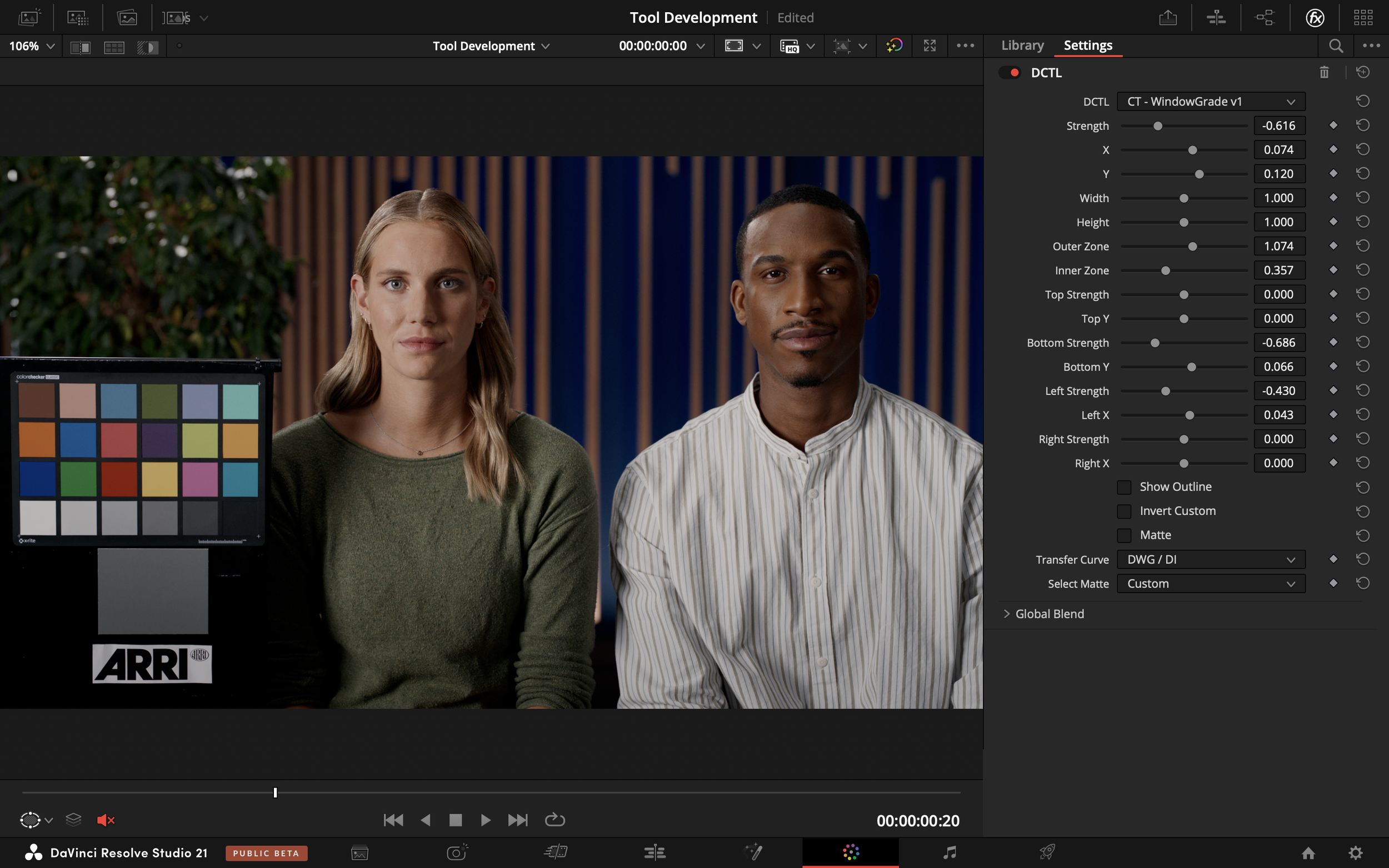 Image 2 of 2
-
This tool supports the following transfer curves: DaVinci Intermediate, Arri LogC3, and ACEScct.
-
Strength: The custom window adjustment measured in exposure stops.
X: The X position of the custom window.
Y: The Y position of the custom window.
Width: The width of the custom window.
Height: The height of the custom window.
Inner Zone: Adjusts the size of the inner zone.
Outer Zone: Adjusts the size of the outer zone.
Top Strength: The top window adjustment measured in exposure stops.
Top Y: The Y position of the top window)
Bottom Strength: The bottom window adjustment measured in exposure stops.
Bottom Y: The Y position of the bottom window.
Left Strength: The left window adjustment measured in exposure stops.
Left X: The X position of the left window.
Right Strength: The right window adjustment measured in exposure stops.
Right X: The X position of the right window.
Show Outline: Show outlines to represent adjustment zones.
Invert Custom: Invert the custom matte for internal adjustment.
Matte: Output of the selected matte. White = 100% Strength. Black = 0% Strength.
Transfer Curve: The transfer curve of your timeline colour space.
Select Matte: The matte outputted by the 'Matte' checkbox.